Export the application
Now that you have completed the project, the last step is to export the Kanzi application from your Kanzi Studio project.
In this final step of the tutorial you first create a Windows and then an Android application from your project.
Create Windows Kanzi application
To create Kanzi application for Windows:
- Select > Export as KZB Player for Windows.
- Click Yes when asked whether you want Kanzi Studio to create the application directory structure.
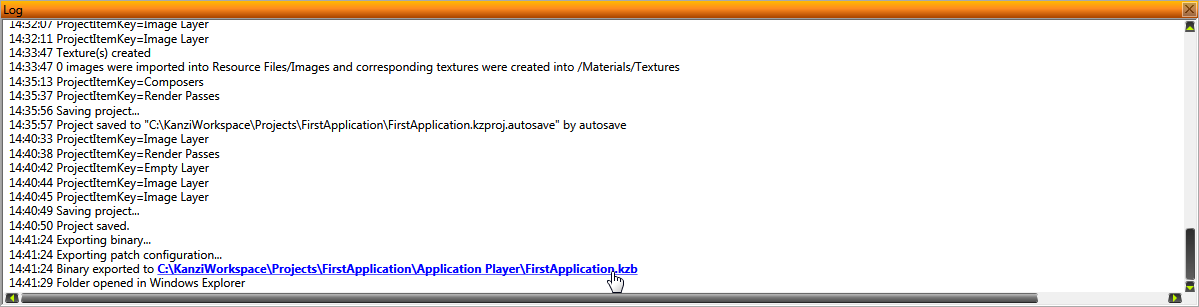
- When Kanzi Studio creates the application, it adds the link to the application in the Log window. Click the link to open the directory where Kanzi Studio created your application.

Your application is stored in the Application Player directory of your Kanzi Studio project. To run the application, run the application file (.exe).
Create Android Kanzi application
In order to create a Kanzi Studio application for Android, you need to set up the Kanzi build environment for Android. To set up the Kanzi build environment for Android, see Installing Kanzi build environment for Android .
To create Kanzi application for Android devices:
- Connect your Android device to your computer.
- Select > Build Android Package.
Kanzi Studio creates an Android package from your Kanzi Studio project, deploys, and runs it on your Android device.
< PREVIOUS STEP
What's next?
In this tutorial you created your first Kanzi application. Now you can:
See also
To learn more about creating Kanzi applications, see Tutorials.
To find out more about Kanzi Studio features, see Working with ....
Open topic with navigation